
Search canopy vs bark and almost every result is written by someone with money in the fight. Canopy’s own site ranks twice. Bark’s ranks once. Aura and Boomerang — both selling competing parental control products — rank with their own “neutral” comparisons. The remaining slots go to affiliate sites earning a commission on whichever one you click. That is the entire first page.
This guide takes a different position, and it is worth stating plainly: Timily does not compete with either product. We do not filter content, scan images, or read messages. We have no referral relationship with Canopy or Bark and earn nothing if you buy either. That is not a claim of virtue — it is just the reason this page can say “neither one fixes X” without costing itself a sale.
Canopy vs Bark: The Core Difference in One Line
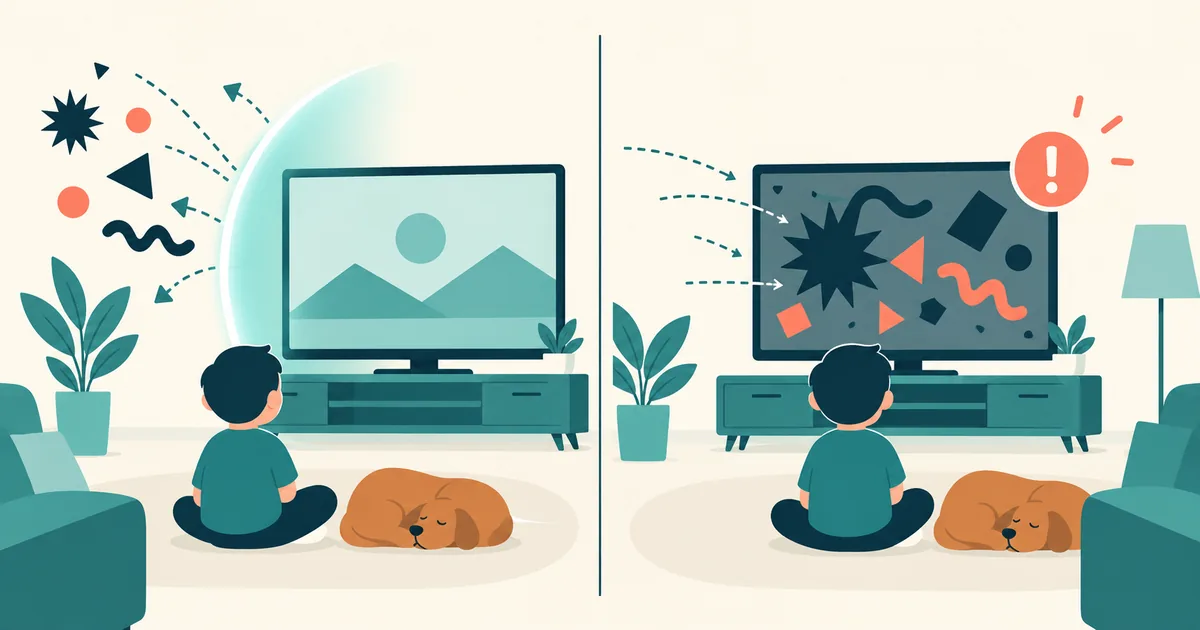
Canopy tries to stop content before your child sees it. Bark tells you after your child has seen it.
Everything else — pricing tiers, device counts, dashboard design — follows from that single architectural choice. Canopy parental control runs as a real-time filter: it inspects images and pages as they load and blocks the ones it classifies as explicit. Bark runs as a monitor: it reads text across messages, email, and social platforms, and sends you an alert when its model flags something concerning.
One is a gate. The other is a smoke detector. A house can reasonably have both, and plenty of families run them together — but if you are picking one, the question is not which is better built. It is which failure you would rather live with: content that slips through a filter, or an alert that arrives after the damage.
How Canopy’s Real-Time Image Scanning Works
Canopy’s distinguishing feature is that it analyses images at the moment they load rather than checking a URL against a blocklist. A site that has never been categorised — a brand-new domain, a user-uploaded image on an otherwise ordinary forum — still gets inspected. Blocklist-based filters, including the ones built into iOS and most routers, cannot do this. They only know what they have already been told.
In practice this means Canopy catches a category of exposure that other tools structurally miss: explicit material on sites nobody has flagged yet. Most canopy parental control reviews single this out as the product’s genuine technical advantage, and it is a fair assessment.
It also means false positives. Real-time classification is probabilistic, and a filter aggressive enough to catch new material will occasionally block a swimwear listing, an art history page, or a medical diagram. Families with older kids doing research tend to notice this more than families with seven-year-olds. If you want the browser-level and system-level controls that sit underneath any of this, our guide to blocking porn on iPhone covers the free layers worth setting up first.
What Canopy Doesn’t See
This is the part most comparisons mention in a single clause and move past, and it is the most important thing to understand before paying.
Canopy monitors web browsing, images, and videos in compatible browsers, plus photos taken on or saved to the device. It does not scan SMS, email, phone calls, or content inside non-browser apps. A conversation inside Snapchat, a group chat on Discord, a direct message on Instagram — these are outside what the filter inspects.
That is a deliberate design boundary, not a bug. But it defines who the product is for. If the thing keeping you awake is what your thirteen-year-old is being told in a group chat, Canopy is the wrong tool and no tier upgrade changes that. If the thing keeping you awake is what your nine-year-old might stumble onto while searching for Minecraft videos, it is close to purpose-built. Our list of apps worth knowing about is a useful cross-check on where your family’s actual risk sits.
How Bark’s Alerting Model Compares
Bark inverts the trade-off. It reads content across roughly thirty platforms — texts, email, and social accounts — and applies detection models for bullying, self-harm language, sexual content, and predatory contact. When something trips a threshold, you get an alert with context rather than a raw transcript.
The advantage is reach: Bark sees the messaging surface Canopy cannot. The cost is timing. An alert is by definition after the fact. Bark also blocks known adult sites, but it does not scan images in real time, so a brand-new explicit page reaches the screen.
There is a second, quieter difference. Bark shows you flagged excerpts rather than everything, which many parents of teenagers prefer — it preserves some privacy and reduces the sense of total surveillance. Whether that matters depends on your child’s age and how the monitoring was introduced. If you are weighing Bark against the broader field rather than against Canopy specifically, we have a separate breakdown of apps that monitor differently.
Canopy vs Bark Cost: Do the Two-Year Math
Both products sell tiered household subscriptions rather than per-device licences, and both are usually cheapest billed annually. Published tiers have changed more than once on each side, so any specific figure printed here would be wrong within months — check the current pricing pages directly.
What is stable is the shape of the comparison, and it is the part affiliate reviews skip. Compare on the tier that actually covers your device count, not the entry tier used in marketing. Then multiply by twenty-four months, because parental control subscriptions are rarely cancelled after one year — the problem they address does not expire. A ten-dollar monthly gap is two hundred and forty dollars across the period you will realistically be subscribed.
The same arithmetic applies when people ask about qustodio vs canopy: Qustodio bundles time limits and app blocking alongside filtering, so it competes on breadth rather than on detection quality. If you are already paying for a screen-time tool, some of what you would buy in a Qustodio tier is duplicated spend.
Sexting Prevention: The One Thing Only Canopy Attempts
Canopy will flag and attempt to stop an explicit photo being sent from the device, not just received. Bark notifies you after an explicit image is received or detected; it does not intervene in the outbound direction.
For parents of kids around eleven to fourteen — the window where this risk sharpens — that asymmetry is the single strongest argument for Canopy, and it rarely gets the prominence it deserves in a feature table. It is also the point where any honest canopy app review should add the caveat: intervention at the device level does not extend to a second device, a friend’s phone, or a school Chromebook.
Why We’re the Wrong People to Sell You Either One
Look again at who ranks for this comparison. Canopy publishes its own Canopy-versus-Bark page. Bark publishes its own Bark-versus-Canopy page. Aura and Boomerang publish comparisons of two rivals while selling a third option. Affiliate sites earn on the click.
None of those pages can write the paragraph below, because it argues against buying anything from them. We can, because we sell something that does not overlap with either.
Filtering Solves Exposure. It Doesn’t Solve Hours.
Here is what both products share, and what neither is designed to address: a child can use a perfectly filtered, fully monitored phone for six hours a day. Canopy will have blocked every explicit image. Bark will have flagged nothing concerning. Both tools will report success. And the underlying problem — that the device has become the default thing to reach for — is completely untouched.
That is not a criticism of either product. Neither claims to manage attention; they claim to manage danger, and within that scope they do real work. But parents often buy a content filter hoping it will also fix the hours, and it will not. If your child is already finding ways around the limits you have set, the pattern in our guide to kids bypassing screen time controls is usually about motivation rather than technology.
This is the gap Timily works in. Instead of deciding what gets through, its Focus Timer and points system change why the phone gets picked up — screen time is earned through focus sessions and completed tasks rather than granted by default. It is a different category of tool, and for many families it belongs alongside a filter rather than instead of one. If your honest answer to “what worries me most” is hours rather than content, buying a stronger filter will not move the number.
A quick way to decide
- Worried about accidental exposure, kids under ten — Canopy. Real-time blocking is the feature that matters and nothing else does it as directly.
- Worried about who is talking to your teen — Bark. Message reach is the deciding factor and Canopy does not attempt it.
- Worried about outbound explicit photos — Canopy, with the caveat that it only covers the device it is installed on.
- Worried about hours rather than content — neither. You are shopping in the wrong category.